Free SEO & GEO Crawler
A comprehensive, open-source SEO and AI search (GEO) auditing tool. Analyze any website for 130+ checks across technical SEO, on-page optimization, performance, security, structured data, and generative engine optimization.
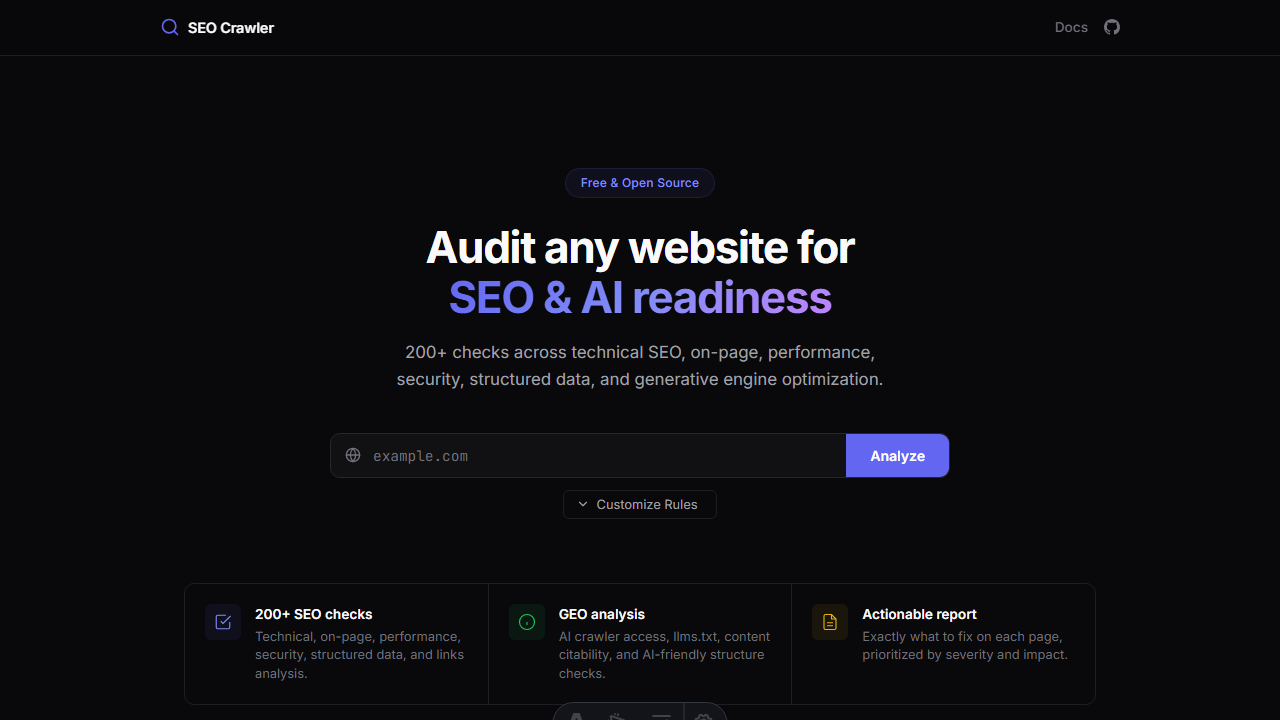
Features
- 130+ audit rules covering 15 categories
- GEO (Generative Engine Optimization) checks for AI search readiness
- Real-time progress with Server-Sent Events during analysis
- Rule presets — Blog, E-Commerce, Video, Landing Page, Technical-only, GEO-only, and more
- Customizable rules — select/deselect individual rules before analysis
- Export reports as CSV or Markdown (including AI-agent-friendly format)
- CI/CD SDK — run SEO checks in your deployment pipeline
- Localhost crawling — test your development server before deploying
- Sitemap analysis — validates all URLs in your sitemap, detects orphan pages
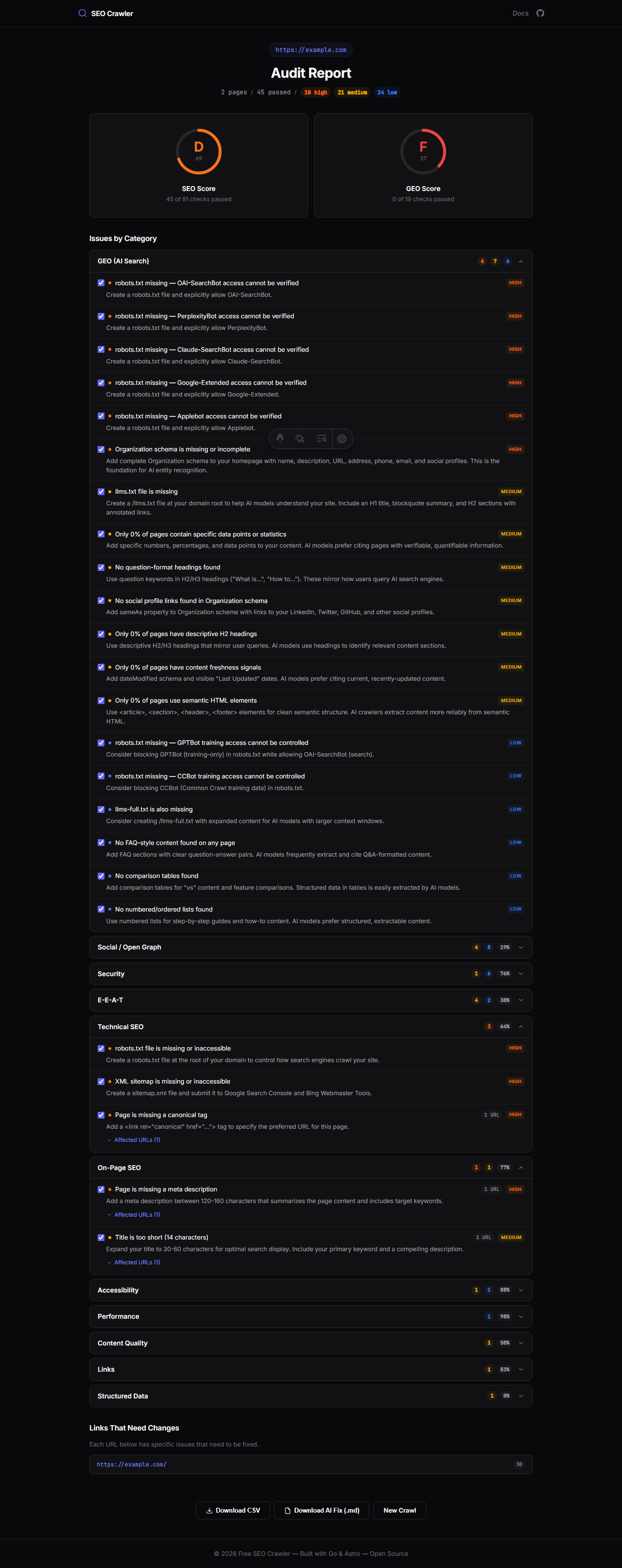
Audit Report
After analysis, you get a detailed report with issues grouped by category, severity indicators, and actionable fix recommendations.
Architecture
| Layer | Technology |
|---|---|
| Backend | Go, Chi router, Colly crawler, Goquery |
| Database | SQLite (WAL mode) |
| Frontend | Astro SSR |
| Concurrency | Goroutines, worker pool, SSE streaming |
| SDK | Standalone Go CLI binary |
Quick Links
- Getting Started — install and run locally
- Web UI Guide — using the web interface
- CI/CD SDK — integrate into your deployment pipeline
- Rules Reference — all 130+ audit rules
- Rule Presets — pre-configured rule sets
- Localhost Crawling — test before deploying
- API Reference — REST API endpoints
Frequently Asked Questions
- What makes this different from other SEO tools?
- Booltools SEO Crawler is 100% free, open-source, and includes 24 GEO (Generative Engine Optimization) rules for AI search readiness that most paid tools don't cover. It also runs locally — your data never leaves your machine.
- Can I use it in my CI/CD pipeline?
- Yes. The SDK is a standalone binary that exits with code 1 when issues are found above your configured threshold. It's available as a GitHub Action on the Marketplace.
- Does it support JavaScript-rendered pages?
- The crawler fetches server-rendered HTML. For SPAs that rely on client-side rendering, use the static mode with your pre-built output directory, or crawl against a running dev server.
- How many pages can it crawl?
- By default up to 1,000 pages per domain. You can increase this with the
--max-pagesflag or the web UI settings. The crawler respects robots.txt and rate-limits itself to avoid overloading target servers.